Mixed Reality (MR) Module
The MR module presents a tabletop version of the GNGC sites designed for mixed reality environments. It is particularly suitable for presentations in conference rooms or on stages, where users can interact with the site models while maintaining visual engagement with the audience.
Key Features
- ● Standalone Compatibility: Optimized to run on standalone mixed reality headsets, ensuring portability and ease of setup.
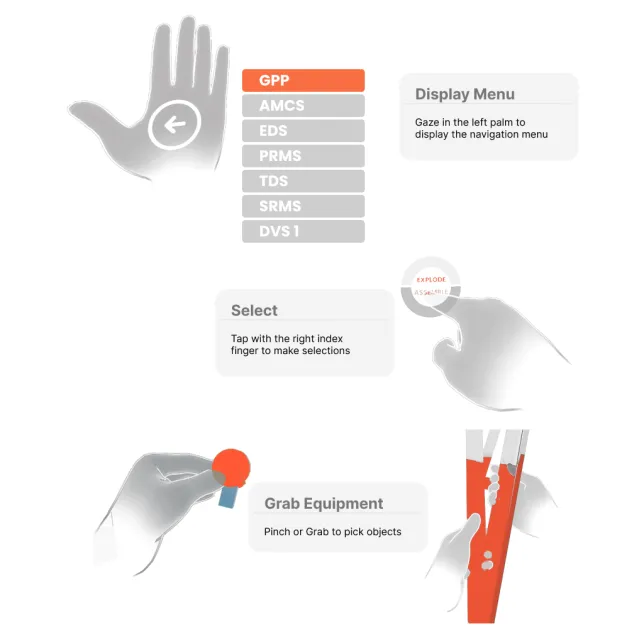
- ● Natural Hand Interaction: Users can interact with objects and menus using their hands, eliminating the need for a digital controller.
- ● Component Interaction: Individual components, such as vessels or equipment, can be picked and highlighted to emphasize key details during presentations.
Navigation
The MR module can be navigated using the following methods:
- Hand Pinching: Use thumb and index finger pinch gestures to select and manipulate objects
- Two-Hand Scale: Pinch with both hands and move them apart/together to resize the model
- One-Hand Rotation: After selecting, rotate your wrist to rotate the model
- Air Tap: Single finger tap gesture for menu selection and basic interactions
- Palm-Up Menu: Turn your palm upward to access the quick settings menu